Overview
Ocelescope is designed as a modular framework for building specialized object-centric process mining tools.
Many process mining tools are built as separate applications. As a result, they often need their own installation process and reimplement common features such as importing and exporting logs, browsing logs, and filtering data. Ocelescope provides these shared capabilities as a foundation, so you can focus on the functionality that makes your tool unique.
You can extend Ocelescope by developing modules. A module adds new functionality to the base application while using the shared features provided by Ocelescope. You can use modules to build a dedicated tool, combine them with other modules, or publish them for use in other Ocelescope-based tools.
How Ocelescope is structured
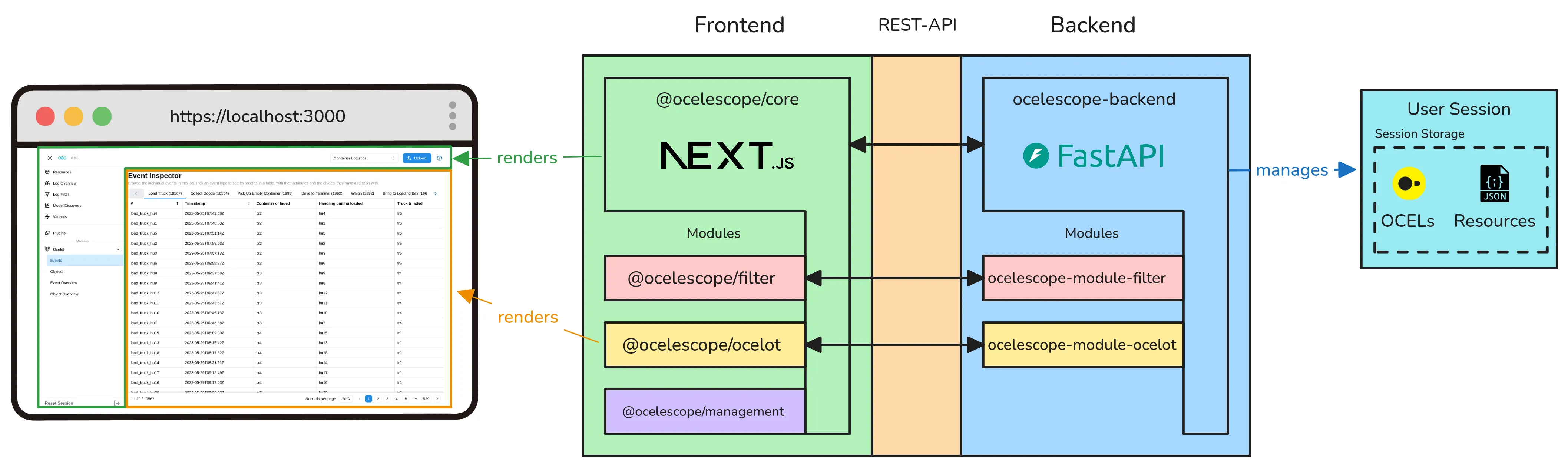
Section titled “How Ocelescope is structured”Ocelescope runs as a web application with a frontend and a backend. The frontend provides the user interface and is built with Next.js and React. The backend handles process-mining tasks and is written in Python using the FastAPI framework.
Ocelescope-based tools are built using base packages. These packages provide shared functionality and make it possible to integrate modules into both the frontend and backend.
Frontend
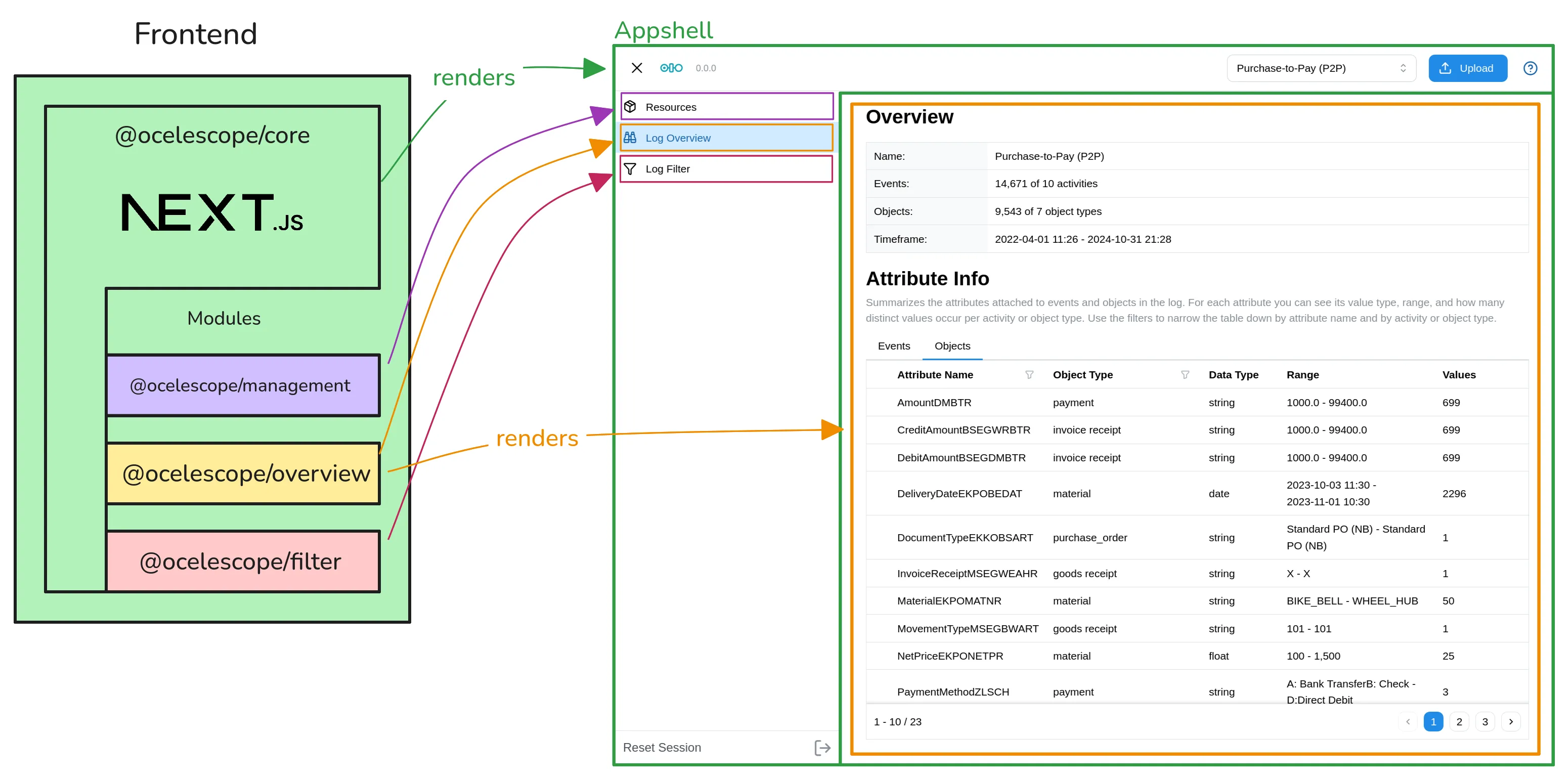
Section titled “Frontend”The frontend is provided by the @ocelescope/core package.
This package wraps the Next.js application and provides the Ocelescope app shell, including the navigation and sidebar.
A frontend module adds React views that are integrated into this app shell.
Backend
Section titled “Backend”The backend is provided by the ocelescope-backend package.
This Python package provides the base FastAPI application, where process-mining tasks are performed.
The backend is session-based. Each user works in an individual session that can contain multiple OCELs and other resources. Backend modules can access these resources to provide their functionality.
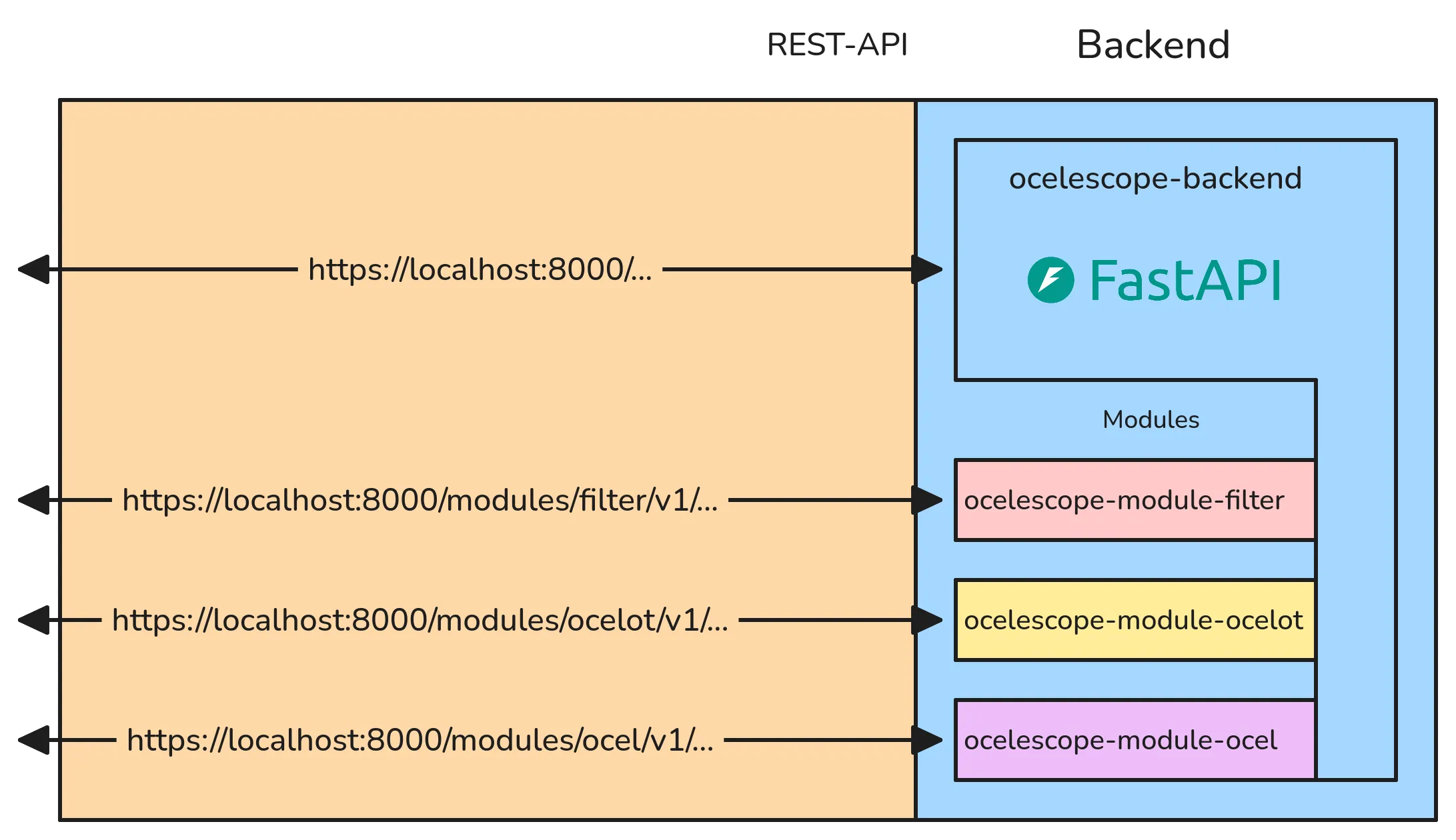
The frontend and backend communicate through a REST API.
Getting started
Section titled “Getting started”We recommend using the Ocelescope module template as a starting point when creating a module or an Ocelescope-based tool.
For instructions on creating and loading your own Ocelescope-based tool, see Getting started.
The following pages use the module template as their starting point.