Frontend Module
The frontend half of a module is a React package built with tsdown. It declares the module’s metadata and its routes, and talks to the backend module through a generated API client.
Defining the module
Section titled “Defining the module”Use defineModule from @ocelescope/core to describe the module and list its routes.
import { defineModule } from "@ocelescope/core";import { TelescopeIcon } from "lucide-react";import summaryRoute from "./routes/summary";
export default defineModule({  name: "example",  label: "Example",  description: "A short description of what the module does.",  authors: [{ name: "Doe, Jane" }],  routes: [summaryRoute],  icon: TelescopeIcon,});
The package’s index.ts simply re-exports it as the default export:
import exampleModule from "./config";
export default exampleModule;
Defining routes
Section titled “Defining routes”Each route is a page that mounts as a first-class view. Define it with defineModuleRoute.
import { defineModuleRoute, useCurrentOcel } from "@ocelescope/core";import { LoadingOverlay } from "@mantine/core";
const SummaryPage = () => {  const { id } = useCurrentOcel();  if (!id) return <LoadingOverlay />;  return <div>Summary for {id}</div>;};
export default defineModuleRoute({ name: "summary", label: "Summary", requiresOcel: true, component: SummaryPage,});namebecomes the route’s URL segment, under/<module-name>/<route-name>.labelis shown in the navigation.requiresOcelgates the route on a log being selected; the app handles prompting the user when none is.componentis the React component to render.
Using shared building blocks
Section titled “Using shared building blocks”@ocelescope/core provides the hooks and components that integrate a route with the rest of the app, including useCurrentOcel for the active log, OcelSelect for choosing one, and download helpers. UI is built with Mantine, the same component library used across Ocelescope.
Calling the backend
Section titled “Calling the backend”The frontend talks to the backend module through a typed client generated with orval. Point its config at your output file:
import { defineConfig } from "@ocelescope/api-config";
export default defineConfig({  base: {    output: {      target: "./src/api/base.ts",    },  },});
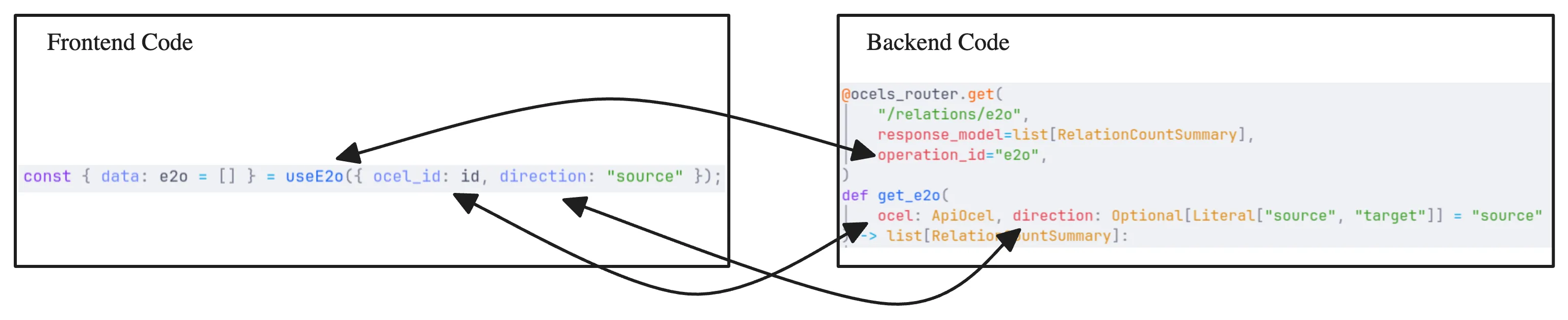
Running the API generation step produces src/api/base.ts with a React Query hook per endpoint, named after each route’s operation_id. Import these hooks in your routes; never edit the generated file by hand.
import { useGetObjectTypes } from "../api/base";
const { data: objectTypes } = useGetObjectTypes(ocelId);
Building
Section titled “Building”The package builds with tsdown (pnpm run build), emitting an ES module plus types and CSS into dist/. With both halves built, continue to Register a Module.